Wi-Fi Technology: Evolution, Standards, and Operational Principles
Since its introduction on September 21, 1997, Wi-Fi has transformed from a niche convenience into a fundamental utility of modern life. By enabling wireless local area networking (WLAN), it allows a vast array of devices—from personal computers and smartphones to security cameras and printers—to connect to the internet and each other without the constraint of physical cables.
At its core, Wi-Fi is based on the IEEE 802.11 family of standards, which define the specifications for the physical layer and medium access control. Over the last nearly three decades, these standards have evolved to support exponentially higher data rates and more efficient use of the radio frequency spectrum.
Key Facts
- Launch Date: First introduced in September 1997.
- Frequency Bands: Operates primarily on 2.4 GHz, 5 GHz, and 6 GHz bands.
- Standardization: Governed by the IEEE 802.11 set of protocols.
- Adoption: As of 2016, 72.9% of American households utilize Wi-Fi.
- Latest Generations: Progressing from the original 802.11 through Wi-Fi 6, 6E, 7, and the upcoming Wi-Fi 8.
The Evolution of Wi-Fi Generations
The progression of Wi-Fi is marked by a constant drive for higher throughput (the amount of data moved from one place to another in a given time) and better reliability. Early versions focused on basic connectivity, while modern iterations like Wi-Fi 6 and 7 focus on efficiency in crowded environments.
| Generation | IEEE Standard | Adopted | Link Rate (Mbit/s) | RF Bands (GHz) |
|---|---|---|---|---|
| — | 802.11 | 1997 | 1–2 | 2.4 |
| — | 802.11b | 1999 | 1–11 | 2.4 |
| — | 802.11a | 1999 | 6–54 | 5 |
| — | 802.11g | 2003 | 6–54 | 2.4 |
| Wi-Fi 4 | 802.11n | 2009 | 6.5–600 | 2.4, 5 |
| Wi-Fi 5 | 802.11ac | 2013 | 6.5–6,933 | 5 |
| Wi-Fi 6/6E | 802.11ax | 2021 | 0.4–9,608 | 2.4, 5, 6 |
| Wi-Fi 7 | 802.11be | 2024 | 0.4–23,059 | 2.4, 5, 6 |
| Wi-Fi 8 | 802.11bn | TBA | TBA | TBA |

How Wi-Fi Works: Operational Principles
Wavebands and Interference
Wi-Fi uses radio waves to transmit data. While the 2.4 GHz band is widely compatible, it is often crowded, leading to interference from other devices. The 5 GHz and 6 GHz bands offer more channels and higher speeds but have a shorter effective range.
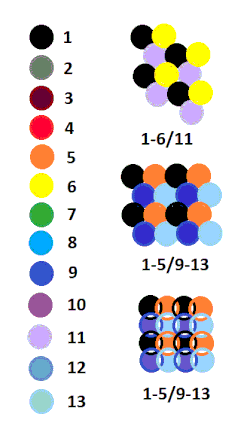
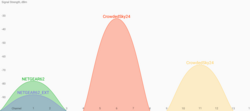
Interference occurs when multiple transmitters straddle the same or overlapping channels, which can degrade signal quality and reduce overall power efficiency.
Network Modes
Wi-Fi typically operates in two primary modes:
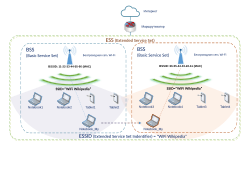
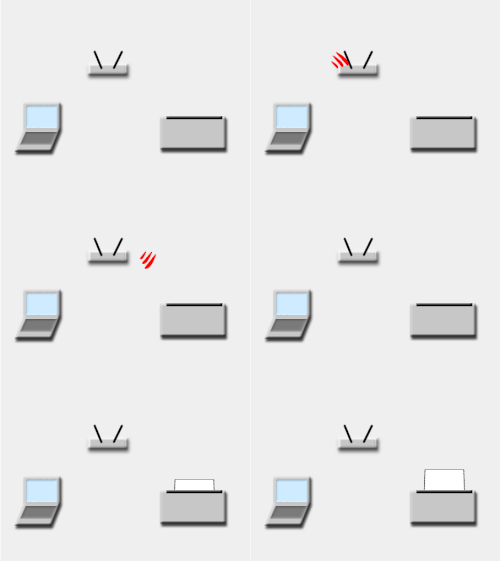
- Infrastructure Mode: The most common setup where devices connect to a central Access Point (AP), which manages the traffic and connects the wireless network to a wired backbone.
- Ad Hoc / Wi-Fi Direct: A decentralized mode where devices connect directly to one another without a central router.
Performance Enhancements
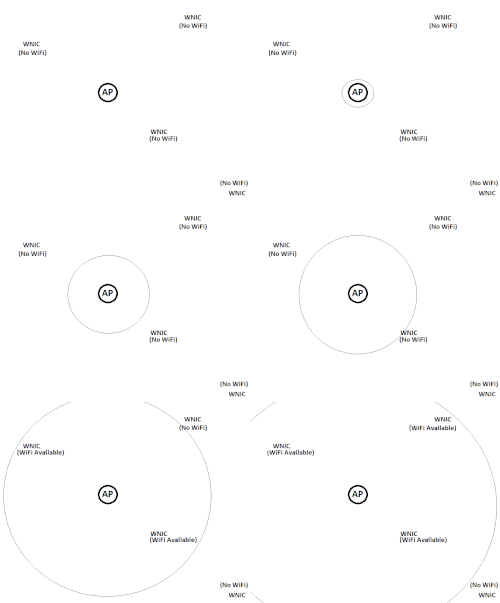
Modern Wi-Fi utilizes MIMO (Multiple-Input and Multiple-Output), a technology that uses multiple antennas to send and receive more data simultaneously, significantly increasing throughput and stability.
Hardware and Implementation

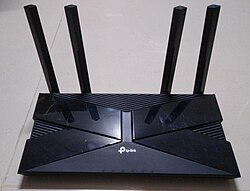
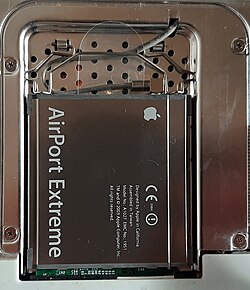
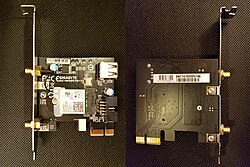
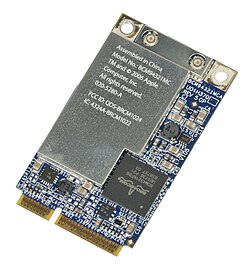
A functional Wi-Fi network requires several hardware components. The Router directs data traffic, while the Access Point provides the wireless signal. On the client side, a Wireless Adapter (or network interface controller) allows the device to communicate with the AP.
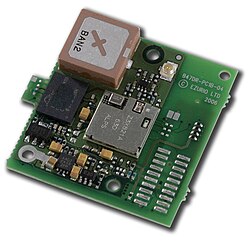
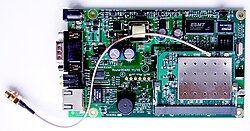
In specialized environments, Bridges are used to connect two different network segments, and Repeaters extend the range of an existing signal. For industrial or IoT applications, embedded serial-to-Wi-Fi modules are often integrated directly into the hardware.
Security and Connectivity
Because radio waves travel through walls, securing a wireless network is critical. Security protocols like WPA (Wi-Fi Protected Access) encrypt data to prevent unauthorized access. To simplify the connection process, many modern networks use QR codes that encode the SSID (network name), security type, and password.

Common Alternatives
While Wi-Fi is dominant for local networking, other wireless technologies serve different purposes:
- Bluetooth / BLE: Short-distance, low-power communication.
- Cellular Networks: Wide-area connectivity for mobile devices.
- LoRa / Zigbee: Low-data-rate, long-range or low-power mesh networking.
- WiMAX: Long-range wireless internet connectivity.
Frequently Asked Questions

What does Wi-Fi stand for?
Contrary to popular belief, Wi-Fi is not short for "Wireless Fidelity." It is a trademarked term used by the Wi-Fi Alliance to certify that devices adhere to the IEEE 802.11 standards.
What is the difference between Wi-Fi 6 and Wi-Fi 6E?
Wi-Fi 6 (802.11ax) operates in the 2.4 GHz and 5 GHz bands. Wi-Fi 6E extends this capability into the 6 GHz band, providing more spectrum to reduce congestion and increase speeds.
How does MIMO improve my internet speed?
MIMO allows a router to use multiple antennas to transmit multiple data streams simultaneously to a single device or multiple devices, effectively widening the "pipe" through which data flows.
Can other electronics interfere with my Wi-Fi signal?
Yes. Devices operating on the 2.4 GHz frequency, such as microwave ovens and some Bluetooth devices, can cause interference, which may lead to slower speeds or dropped connections.
What is an Access Point (AP)?
An Access Point is a piece of hardware that allows wireless devices to connect to a wired network. While many home routers have a built-in AP, larger buildings use multiple standalone APs to ensure seamless coverage.