ResEdit: The Classic Macintosh Resource Editor
In the early days of the Apple Macintosh, developers needed a way to manage the visual and structural elements of their applications without rewriting code for every minor change. Enter ResEdit, a powerful software development tool created by Apple Computer. By allowing users to edit resources directly within the Mac's unique resource fork architecture, ResEdit transformed how user interfaces were designed and customized.
While primarily intended for professional developers, ResEdit became a favorite among power users. Its intuitive graphical user interface (GUI) made it accessible for those wanting to customize icons, menus, and other GUI elements to suit their personal preferences, offering a more user-friendly alternative to command-line tools like the resource compiler Rez or REdit.
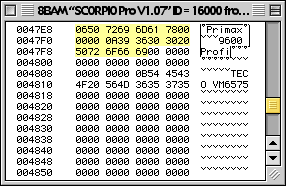
The Power of Resource Forks
To understand ResEdit, one must understand the resource fork—a specialized part of the Macintosh file system that stored data separately from the main executable code (the data fork). Resources could be almost any type of data, from standard system formats to custom data structures defined by the programmer.
ResEdit provided comprehensive support for these resources, allowing developers to create and modify standard types such as window templates, menus, and color palettes. This separation of interface and logic meant that a programmer could update the look of an application without needing to recompile the entire source code.
Revolutionizing GUI Layout
ResEdit was a pioneer in the realm of GUI layout tools, serving as a precursor to the rapid application development (RAD) environments common today. One of its most significant contributions was the handling of dialog templates ('DLOG') and dialog items lists ('DITL').
Using a WYSIWYG (What You See Is What You Get) approach, developers could visually place buttons, text fields, and checkboxes exactly where they wanted them to appear for the end user. Once the layout was finalized in ResEdit, the application code simply called the stored resource to render the functional dialog box.
Supported Resource Types
ResEdit included specialized editors for a wide array of standard Macintosh resources, including:
- WIND: Window templates
- MENU: Menu structures
- CNTL: Controls
- ICON, cicn, ICN#: Various icon formats
- clut and pltt: Color palettes
Advanced Customization with Templates
With the release of version 2.0, ResEdit introduced a sophisticated template building feature. This allowed programmers to define arbitrary data structures as resources using a template (stored as a 'TMPL' resource).
By adding elemental data types to a list, ResEdit could generate a custom GUI editor on the fly. This enabled developers to enter data into a visual form, which ResEdit then packaged into a structure that could be easily accessed in programming languages like C. For resources that did not require a graphical editor, ResEdit provided a library of predefined templates.
Legacy and Modern Alternatives
As Apple transitioned its hardware and software, ResEdit eventually became a relic of a previous era. It was never updated to run natively on PowerPC-based Macintoshes following the move from the Motorola 68000 series, nor was it ported to Mac OS X.
Modern macOS applications have moved away from resource forks in favor of application bundles, a more portable structure derived from NeXT. While ResEdit can run on Mac OS X via Classic compatibility mode, this is not possible on Intel-based Macs or versions of Mac OS X v10.5 and later. Today, enthusiasts use emulators like SheepShaver or Basilisk II to run the software.
| Attribute | Details |
|---|---|
| Developer | Apple Computer |
| Final Official Release | Version 2.1.3 (August 1994) |
| Operating System | Classic Mac OS |
| License | Proprietary |
| Primary Function | Resource fork editing and GUI layout |
Key Facts
- Developer Tool: Created by Apple to edit resources in the Macintosh resource fork architecture.
- WYSIWYG Design: One of the first tools to allow visual layout of dialog boxes and windows.
- Custom Templates: Version 2.0 introduced 'TMPL' resources for defining custom data structures.
- End of Life: The final official version (2.1.3) was released in August 1994.
- Modern Status: Discontinued; replaced by application bundles in macOS.
Frequently Asked Questions
What exactly is a resource fork?
A resource fork is a separate stream of data associated with a file in the classic Mac OS, used to store user interface elements, icons, and other metadata independently from the main executable code.
Can I run ResEdit on a modern Mac?
Not natively. Because it was designed for the Motorola 68000 architecture and Classic Mac OS, you must use an emulator such as Basilisk II or SheepShaver on modern Intel or Apple Silicon Macs.
What is the difference between ResEdit and the Rez compiler?
Rez is a text-based resource compiler, whereas ResEdit provides a graphical user interface, making it significantly easier for users to visualize and edit resources.
Are there any modern alternatives to ResEdit?
Yes, a commercial alternative called Resorcerer has remained available, and there have been open-source attempts to create macOS-native editors, such as ResKnife.
What were the unofficial versions of ResEdit?
Versions 2.1.4 and later were unofficial hacks that added unsupported features, including a decompiler and the ability to edit data forks.