Netflix Button Evolution: From Remote Shortcuts to Industry Standards
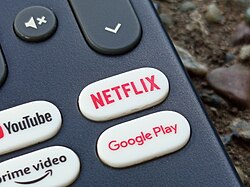
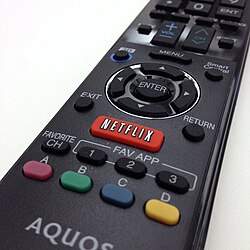
If you have picked up a modern television remote lately, you have likely noticed a dedicated button labeled with the Netflix logo. While it may seem like a minor convenience, this single button represents a significant shift in how streaming services integrate with consumer hardware. Designed to provide instant access to content, the Netflix button acts as a direct shortcut, sending a specific hotkey command to a television or streaming player to launch the application immediately.
The History and Adoption of Dedicated Streaming Keys
The implementation of the Netflix button began in America in 2011, eventually expanding to European remotes by 2015. Since then, the feature has seen widespread adoption across the electronics industry. Major television manufacturers such as LG, Samsung, Sony, and Hisense have all integrated these buttons into their hardware.
Some of these devices earn a special designation known as "Netflix Recommended TVs." This label is given to specific models that feature a dedicated Netflix button, which the service recommends to subscribers to ensure the highest quality viewing experience. The trend has even moved beyond the living room; for instance, the Brazilian manufacturer Positivo has included Netflix keys on their low-end laptop computers since 2018.
How the Technology Works
The functionality of the button is not universal; it only works on devices that support the specific command, including Smart TVs, game consoles, streaming media players, set-top boxes, and Blu-ray players.
While most buttons are hard-programmed into the device's firmware, some modern hardware allows for more flexibility. On the NVIDIA Shield, for example, users can use third-party applications to intercept and remap the Netflix button to perform different tasks, though this often results in a less smooth user experience than the native function.
DIY Innovation: The "Switch" Project
In 2015, Netflix explored the concept of user-driven hardware through its "Netflix Make It" series. One notable project was "The Switch," an open-sourced design that allowed consumers to build their own custom Netflix button. This DIY device was designed to go beyond simple streaming, offering features like dimming lights, silencing phone calls, or even ordering takeout with a single press.
Industry Criticism and Market Dynamics
Despite its convenience, the rise of dedicated streaming buttons has not been without controversy. Some critics, including publications like The Verge, have argued that these buttons act as constant advertisements on expensive hardware, suggesting that companies may be prioritizing revenue over pure user experience and design.
Early concerns also touched upon net neutrality—the principle that internet service providers should treat all data equally—with some questioning if dedicated buttons gave Netflix an unfair advantage over competitors. Additionally, non-subscribers often find the button frustrating, as pressing it leads to a screen they cannot use.
The business side of these buttons is highly lucrative. For example, Roku offers remotes with four separate streaming buttons. Reports indicate that streaming services may pay approximately one dollar per unit sold to secure a spot on these remotes. By the early 2020s, the landscape had expanded significantly, with buttons for Hulu, Amazon Prime Video, Disney+, YouTube, Spotify, Crunchyroll, and Samsung TV Plus becoming common.
Key Facts
- Initial Launch: The Netflix button was first implemented in America in 2011.
- European Expansion: The button was added to European remotes in 2015.
- Supported Devices: Includes Smart TVs, game consoles, streaming players, set-top boxes, and Blu-ray players.
- Manufacturer Adoption: Major brands include LG, Samsung, Sony, and Hisense.
- Cost Model: Streaming services may pay around $1 per unit for branded buttons on certain remotes, such as Roku.
Summary of Streaming Button Trends
| Feature/Aspect | Details |
|---|---|
| Primary Function | Sends a hotkey command to launch a specific app. |
| Common Hardware | Smart TVs, Consoles, Streaming Sticks, Laptops. |
| Key Manufacturers | Samsung, LG, Sony, Hisense, Positivo. |
| Other Services | Hulu, Disney+, YouTube, Amazon Prime Video, Spotify. |
Frequently Asked Questions
What is a Netflix Recommended TV?
These are specific TV models that include a dedicated Netflix button, which Netflix recommends to its subscribers to ensure an optimized viewing experience.
Can I change what the Netflix button does?
On certain devices like the NVIDIA Shield, it is possible to remap the button using third-party apps, though the experience may not be as seamless as the original function.
Why do some remotes have multiple streaming buttons?
Companies like Roku offer remotes with multiple buttons (up to four) to allow consumers to choose between different services, often through a paid partnership between the hardware maker and the streaming service.
Does the Netflix button work on all televisions?
No, the button only functions on devices that support the specific command, such as Smart TVs, game consoles, and dedicated streaming media players.
What was "The Switch" created by Netflix?
"The Switch" was a DIY project from the "Netflix Make It" series that allowed users to build a custom button capable of controlling lights, phones, and food orders in addition to launching Netflix.