Mobile Applications: Evolution, Types, and the Global App Economy
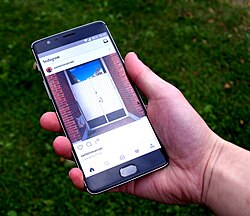
A mobile application, commonly referred to as an "app," is a type of software designed specifically to run on mobile devices such as smartphones, tablets, and smartwatches. While they differ from desktop applications, which are built for computers, and web applications, which run within mobile browsers, apps have become the primary way users interact with their handheld technology.
The term "app" gained significant cultural traction in 2010 when it was named "Word of the Year" by the American Dialect Society. What began as simple tools for productivity—such as email, calendars, and contact management—has exploded into a massive ecosystem including mobile games, GPS services, factory automation, and ticket purchasing systems.
Key Facts
- Three Main Types: Apps are classified as native, web-based, or hybrid.
- Massive Scale: The Google Play Store has hosted over 2.4 million apps as of late 2016.
- Economic Impact: The app economy generates billions in revenue, with the EU market alone exceeding €10 billion annually.
- Usage Trends: Mobile app usage can exceed web browsing; a 2012 study showed 51.1% of subscribers used apps compared to 49.8% using browsers.
- Distribution: Most apps are downloaded via digital platforms known as app stores.
Understanding the Three Types of Mobile Apps
Not all applications are built the same way. Developers choose different architectures based on performance needs, budget, and the intended user experience.
Native Applications
Native apps are developed specifically for a single mobile operating system, such as iOS or Android. Because they are built for a specific platform, they offer the best performance, consistent user interfaces, and seamless access to a device's hardware and application programming interfaces (APIs). This allows users to switch between functions effortlessly and enjoy a high-quality user experience.
Web-Based Applications
Web apps are written using web technologies like HTML5 and CSS and are accessed through a mobile browser. While they do not require installation, they often perform slower than native apps and may lack access to certain device-specific features.
Hybrid Applications
Hybrid apps act as a middle ground. They are built using web technologies (JavaScript, CSS, and HTML5) but are housed within a native container. Frameworks like Apache Cordova, Flutter, and React Native allow developers to use a single codebase to support multiple operating systems. While this makes development faster and cheaper, hybrid apps may suffer from lower performance and a less consistent "look and feel" across different devices.

The App Distribution Ecosystem
Most mobile devices come with pre-installed software, such as web browsers, email clients, and mapping programs. While some of these can be uninstalled to save space, others may require advanced methods like rooting or jailbreaking to remove. For everything else, users turn to digital distribution platforms.
The most prominent app stores include:
- Apple App Store: A major driver of the mobile revolution, reporting over 140 billion downloads as of 2016.
- Google Play Store: The primary hub for Android users, which surpassed 50 billion downloads in 2013.
- Microsoft Store: Designed for Windows and Xbox, focusing on touch-based applications for tablets and desktops.
- Specialized Stores: Including the Amazon Appstore (focused on Fire devices), the Samsung Galaxy Store, and F-Droid (a repository for free and open-source Android apps).

The Business of Apps
The app market is a massive economic engine. In 2013, Gartner predicted 102 billion app downloads, generating $26 billion in the US alone. Revenue models vary widely: some apps are freeware, some require upfront purchases, and others operate on subscription models. Many also utilize microtransactions or advertising to generate income, which is typically split between the developer and the app store provider.
| Feature | Native App | Web App | Hybrid App |
|---|---|---|---|
| Performance | High | Lower | Moderate |
| Development Cost | Higher (Platform specific) | Lower | Moderate (Single codebase) |
| Device Integration | Full Access | Limited | Moderate |
| Installation | Required | Not Required | Required |
Security and Enterprise Management
As businesses adopt "Bring Your Own Device" (BYOD) policies, mobile apps present new security challenges. Unprotected apps can transfer sensitive corporate data to the internet without user consent. To mitigate these risks, companies use enterprise mobility management to securely offer native apps and implement strict IT policies, protecting against data theft and blackmail.
Frequently Asked Questions
What is the difference between a native app and a web app?
A native app is built specifically for one operating system (like Android) and offers high performance, whereas a web app runs through a browser and is built using web languages like HTML5.
Why do some apps cost different prices on different platforms?
Pricing can vary because the revenue is typically split between the creator and the app store, and different platforms may have different fee structures or regional pricing.
What are emulators used for in app development?
Emulators are software tools that allow developers to test their applications on a virtual mobile device, providing an inexpensive way to test software without needing physical access to every specific phone model.
What is "app fatigue"?
App fatigue refers to the feeling of being overwhelmed by the sheer number of available mobile applications, which has led to the rise of conversational interfaces and chatbots as alternatives.
Can I remove pre-installed apps from my phone?
Some pre-installed apps can be removed through a standard uninstallation process, but if the software does not allow it, users sometimes resort to rooting or jailbreaking the device to eliminate them.