keyboard layoutQWERTY historyDvorak layoutColemak keyboardkeyboard mapping

Keyboard Layouts: From Historical Typewriters to Modern Digital Input

Keyboard Layouts: From Historical Typewriters to Modern Digital Input A keyboard layout refers to the specific arrangement of keys used for input, whether on a physical device, a virtual ...

Keyboard Layouts: From Historical Typewriters to Modern Digital Input

A keyboard layout refers to the specific arrangement of keys used for input, whether on a physical device, a virtual touchscreen, or a specialized typographic tool. These arrangements can be categorized in three distinct ways: the physical layout (the positioning of the keys themselves), the visual layout (the legends or labels printed on the keycaps), and the functional layout (the software or firmware mapping that determines what action occurs when a key is pressed).

While many users interact with the same standard layouts daily, the diversity of keyboard design is vast, spanning different languages, writing systems, and ergonomic preferences.
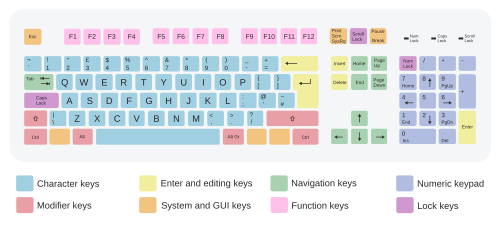
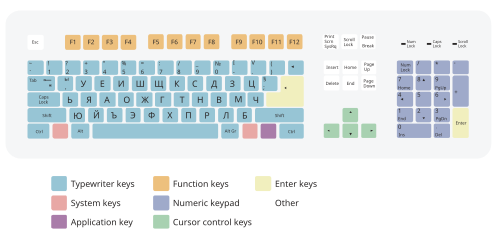
A typical 105-key computer keyboard, consisting of sections with different types of keys
: A typical 105-key computer keyboard, consisting of sections with different types of keys

Key Facts

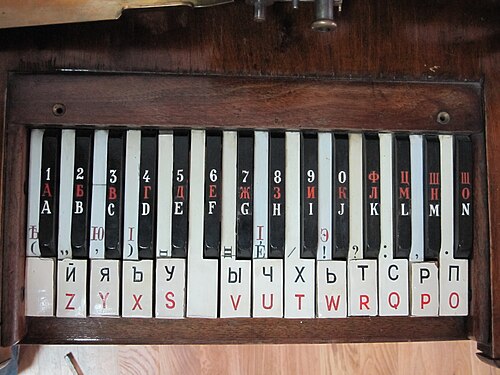
Keyboard of a Letter-Printing Telegraph Set built by Siemens and Halske in Russia c. 1900
  • QWERTY was developed in the 1870s by Christopher Latham Sholes.
  • Functional layouts are controlled by software or firmware, meaning the physical label may not always match the action.
  • Modifier keys, such as Shift or Command, change the function of other keys.
  • Dead keys are used in many layouts to allow for the placement of accents or diacritics.
  • Layouts vary significantly to accommodate different writing systems, such as Abugidas, Abjads, and Cyrillic.

The Evolution of Keyboard History
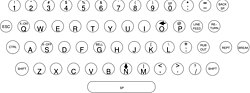
The Teletype Model 33 keyboard is bit-paired

The lineage of the modern keyboard can be traced back to the mechanical era. The QWERTY layout, which remains the most dominant standard today, was popularized by the Sholes and Glidden typewriter in the 1870s. This device, marketed as the Remington No. 1 in 1874, became the first commercially successful typewriter. By 1878, the Remington No. 2 introduced the shift key, a fundamental component of modern typing.
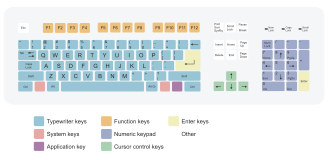
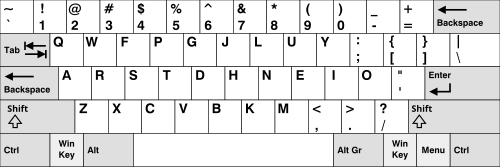
The 104-key US QWERTY layout
: The 104-key US QWERTY layout

As technology transitioned from mechanical to electric and eventually digital, key designs evolved. The 1961 release of the IBM Selectric electric typewriter heavily influenced later computer keyboards. In the 1980s, the IBM PC and its 1985 Model M keyboard established the foundation for many modern layouts. Early terminal keyboards, such as the VT220, helped popularize the use of independent cursor keys arranged in an upside-down T shape.
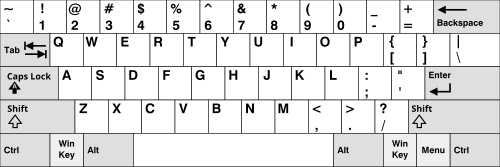
ANSI QWERTY keyboard layout (US)
: ANSI QWERTY keyboard layout (US)

Historical Specialized Keyboards

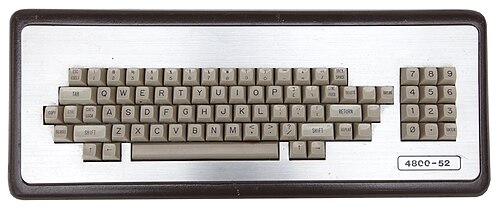
Before modern standardization, specialized hardware offered unique configurations. The MIT "space-cadet" keyboard featured a large number of modifier keys, including Control, Meta, Hyper, and Super. Other historical examples include the Teletype Model 33, which featured the Escape (ESC) key, and various mainframe terminal keyboards from the mid-1980s that utilized obscure configurations of arrow and repeat keys.
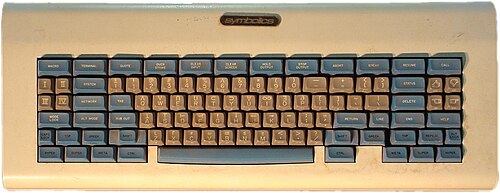
MIT "space-cadet" keyboard, a pre-ISO/IEC 9995 keyboard with a large number of modifier keys. It was equipped with four keys for bucky bits (Control, Meta, Hyper, and Super); and three shift keys, called "shift", "top", and "front".
: MIT "space-cadet" keyboard, a pre-ISO/IEC 9995 keyboard with a large number of modifier keys. It was equipped with four keys for bucky bits (Control, Meta, Hyper, and Super); and three shift keys, called "shift", "top", and "front".
4800-52 mainframe / dumb terminal keyboard, c. mid-1980s. There is an obscure configuration of modifier and arrow keys, line feed key, break key, blank keys, and repeat key.
: 4800-52 mainframe / dumb terminal keyboard, c. mid-1980s. There is an obscure configuration of modifier and arrow keys, line feed key, break key, blank keys, and repeat key.

Common Layout Variations

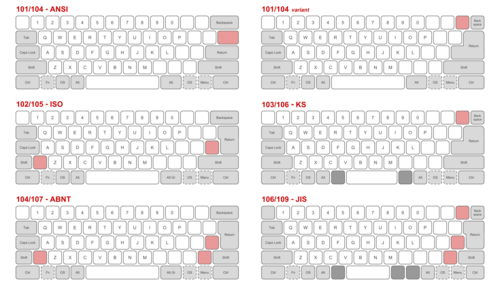
A comparison of common physical layouts. The ISO-standard physical layout (center left) is common, e.g., in the United Kingdom. Compared with the ANSI layout (top left), the enter key is vertical rather than horizontal. In addition, the left shift key is smaller, to make room for an additional key to its right. The JIS physical layout (bottom right) is the basis for Japanese keyboards. Here it is the right-hand shift key that is smaller. Furthermore, the space bar and backspace key are also smaller, to make room for four additional keys.

Standard layouts are often tailored to specific languages and regional needs. These variations can affect the placement of punctuation, the accessibility of numbers, and the presence of function keys.

Latin-Script Layouts

While QWERTY is the global standard for English, other Latin-script layouts are widely used:

  • AZERTY: Used in France and Belgium, it swaps A and Q, Z and W, and moves the M key.
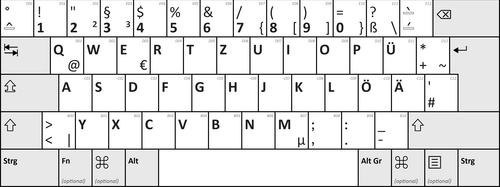
  • QWERTZ: Common in Germany, it swaps the Z and W keys.
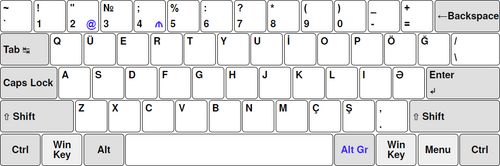
  • QÜERTY: A variation used in Azerbaijan.
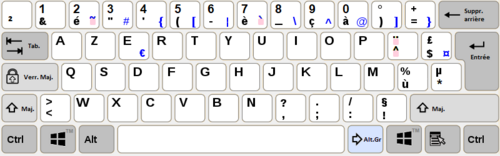
French AZERTY layout
: French AZERTY layout
German QWERTZ layout
: German QWERTZ layout
Azerbaijani QÜERTY keyboard layout
: Azerbaijani QÜERTY keyboard layout

Ergonomic and Alternative English Layouts

To improve typing efficiency and reduce strain, several alternative layouts have been designed for English speakers:

  • Dvorak: Designed to optimize finger movement.
  • Colemak: A modern alternative that balances familiarity with efficiency.
  • Workman: Focuses on ergonomic movement patterns.
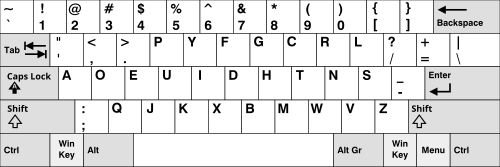
The Dvorak keyboard layout
: The Dvorak keyboard layout
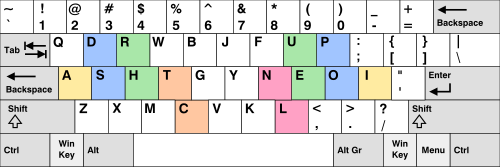
Colemak keyboard layout (US)
: Colemak keyboard layout (US)
Workman layout for the English language, showing home keys highlighted
: Workman layout for the English language, showing home keys highlighted

Global Diversity in Keyboard Design
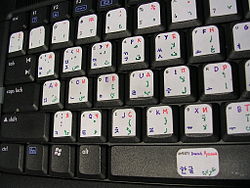
A visual layout consisting of both factory-printed symbols and customized stickers

Keyboard layouts must accommodate a massive variety of scripts and phonetic requirements. This includes Abugidas (scripts where consonants and vowels are combined), Abjads (scripts where vowels are often omitted), and Cyrillic systems.

Non-Latin and Specialized Scripts

The complexity of global communication is reflected in the specialized layouts for scripts such as:

  • East Asian: Including Japanese (Hiragana/Katakana), Chinese (Zhuyin/Cangjie), and Korean (Dubeolsik/Sebeolsik).
  • Indic/Brahmic: Including Bengali, Devanagari (InScript), Javanese, Khmer, and Thai.
  • Arabic and Hebrew: Tailored for right-to-left reading and specific character sets.
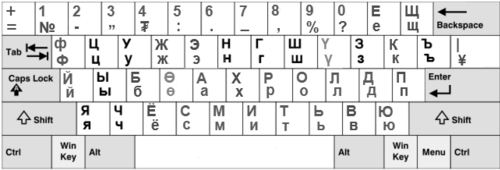
  • Cyrillic: Including Russian, Bulgarian, and Ukrainian variants.
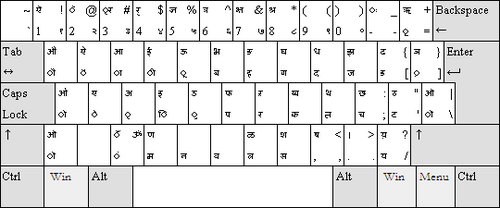
InScript keyboard layout for Sanskrit
: InScript keyboard layout for Sanskrit
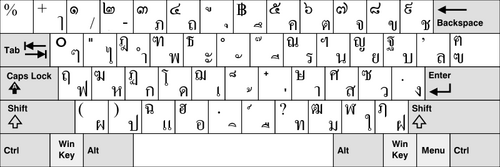
Thai Kedmanee keyboard layout
: Thai Kedmanee keyboard layout
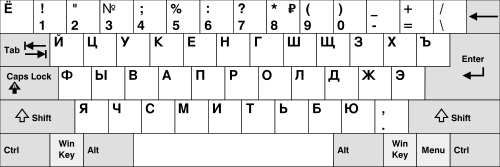
Russian Windows keyboard layout
: Russian Windows keyboard layout
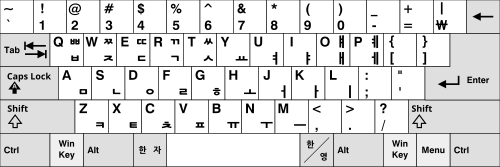
Dubeolsik keyboard layout
: Dubeolsik keyboard layout

Summary of Keyboard Layout Types

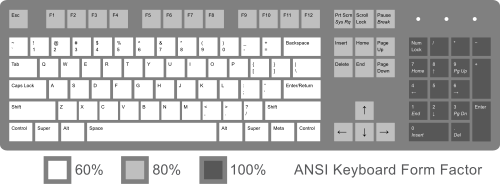
Sections on a full-size 104-key keyboard. Percentages and relevant values of keys show the presence of keys at common sizes.
Comparison of Layout Categories
Category Primary Focus Examples
Physical Key positioning and hardware form ISO, ANSI, JIS
Visual Legends and printed symbols Custom stickers, factory-printed
Functional Software/Firmware mapping QWERTY, Dvorak, Colemak
Regional Language and script support AZERTY, QWERTZ, JCUKEN

Frequently Asked Questions
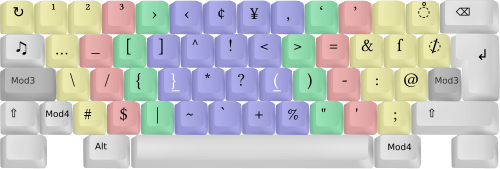
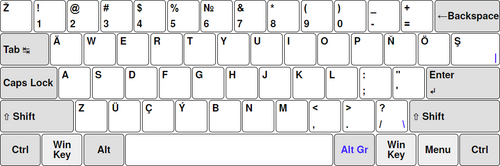
Turkmen ÄWERTY keyboard layout
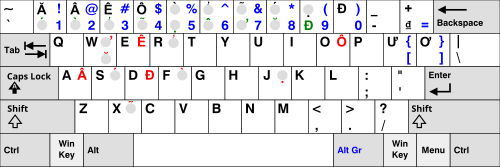
Vietnamese keyboard layout
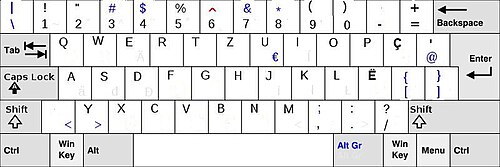
Albanian QWERTZ keyboard
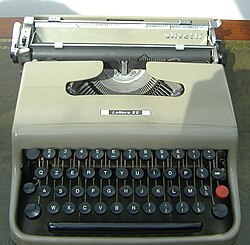
Italian typewriter Olivetti Lettera 22
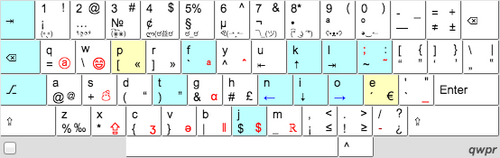
Qwpr keyboard layout (letters moved from QWERTY in teal, or yellow if different hand)
Sholes' second layout
Original Blickensderfer keyboard
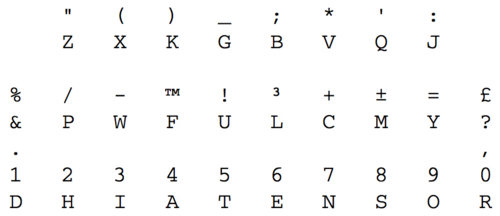
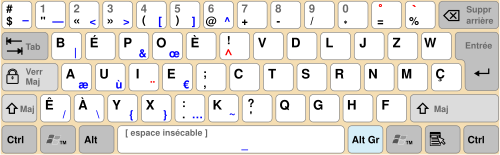
BÉPO keyboard layout
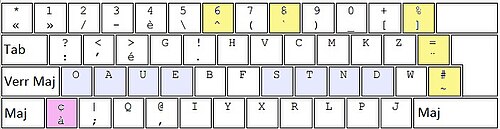
Dvorak-fr
Dvorak-fr
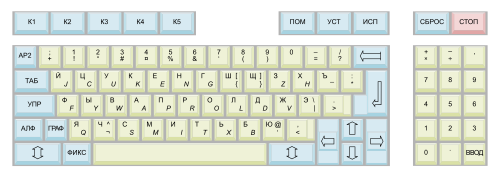
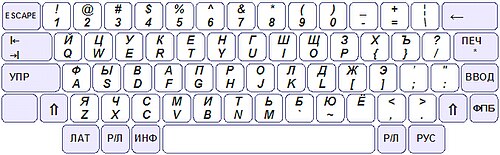
JCUKEN keyboard of the UKNC computer
ES1845 JCUKEN-QWERTY hybrid layout keyboard
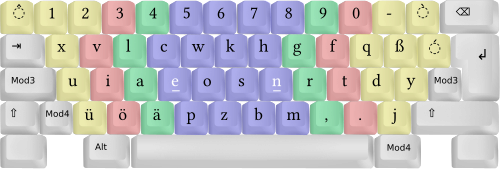
Neo Layout, layer 1
Neo Layout, layer 1
Neo Layout, layer 3
Neo Layout, layer 3
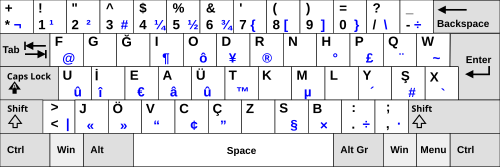
Turkish F-keyboard layout
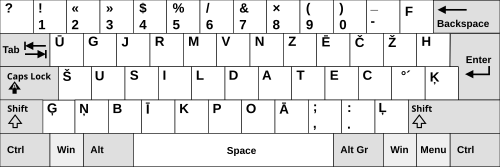
Latvian Keyboard Layout
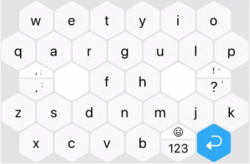
Hexagon keyboard layout
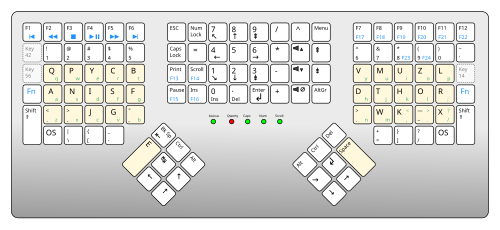
United-States Maltron 3D keyboard layout
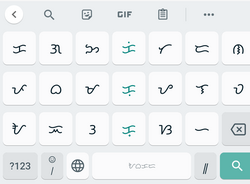
A screenshot image of the baybayin keyboard on Gboard
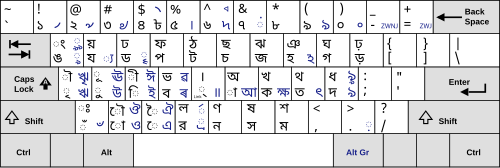
Bangla National (Jatiyo) Keyboard by Bangladesh Computer Council
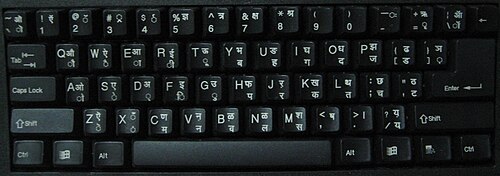
A Devanagari InScript bilingual keyboard
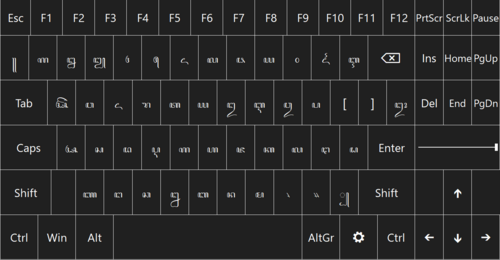
Javanese keyboard layout for Javanese script. Keyboard using font Tuladha Jejeg
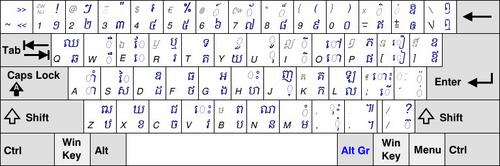
Khmer keyboard layout
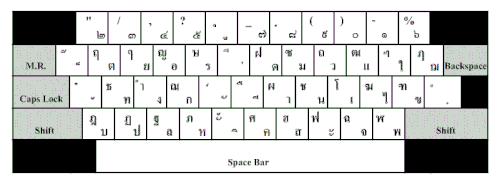
Thai Pattachote keyboard layout
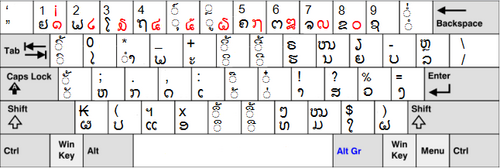
Lao keyboard layout
Lao keyboard layout
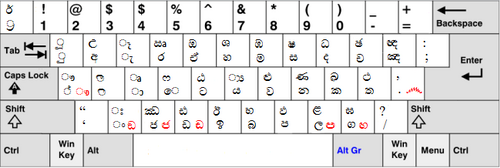
Windows Sinhala layout
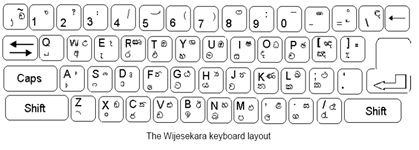
Wijesekara layout
Wijesekara layout
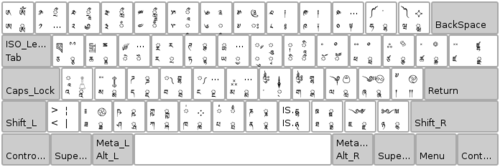
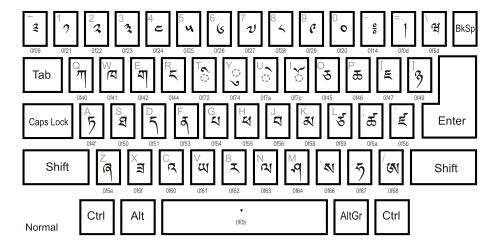
Tibetan keyboard layout
Dzongkha keyboard layout
Latin keyboard layout for Inuktitut
Naqittaut keyboard layout for Inuktitut
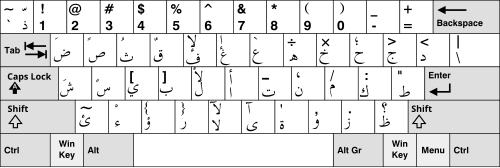
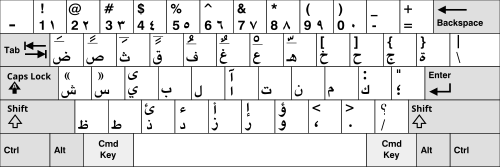
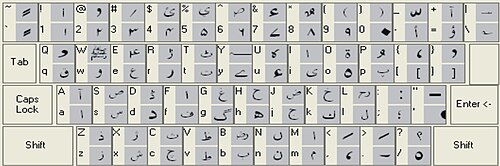
Arabic Windows keyboard layout
Arabic Mac keyboard layout
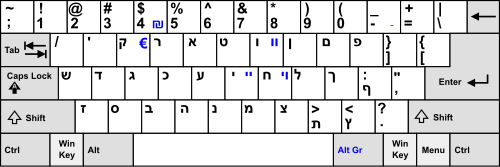
Hebrew keyboard
Hebrew keyboard
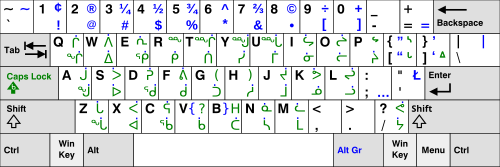
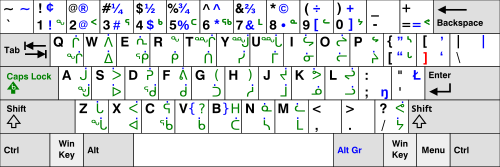
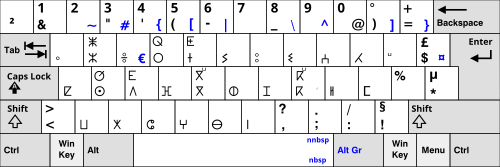
Moroccan (IRCAM) Tamazight (Berber) keyboard layout for Tifinagh script
The standard layout
The standard layout
The phonetic keyboard layout on Windows 7
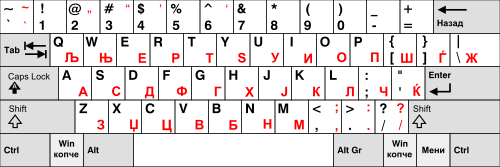
Bulgarian keyboard layout (BDS 5237:1978)
Macedonian keyboard layout
Mongolian Windows keyboard layout
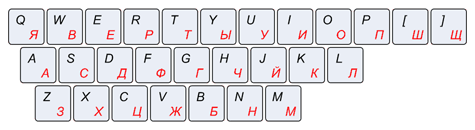
Russian phonetic keyboard layout
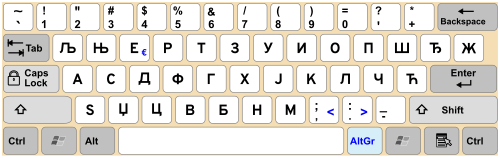
Serbian Cyrillic keyboard layout
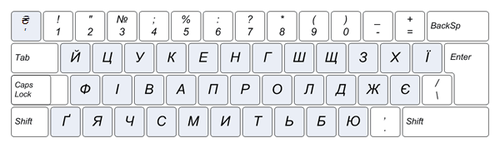
Ukrainian keyboard layout
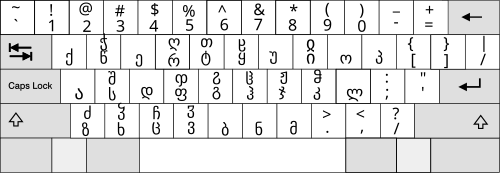
Georgian keyboard
Georgian keyboard
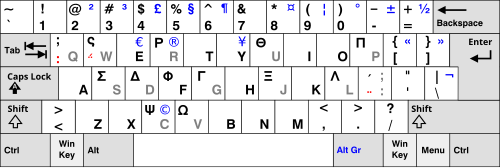
Greek keyboard layout in comparison to US layout
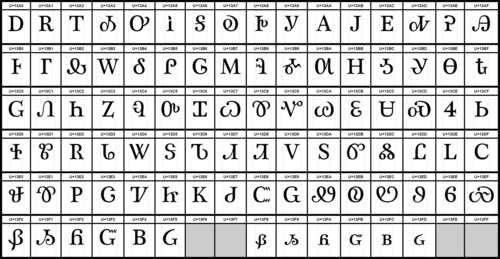
Cherokee Unicode block
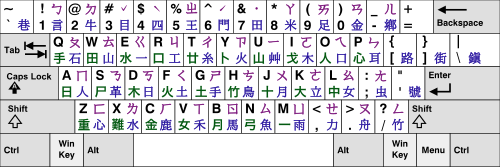
Chinese (Taiwan) keyboard layout, a US keyboard with Zhuyin, Cangjie, and Dayi key labels
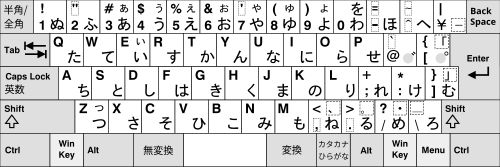
Japanese (OADG 109A) keyboard layout with Hiragana keys
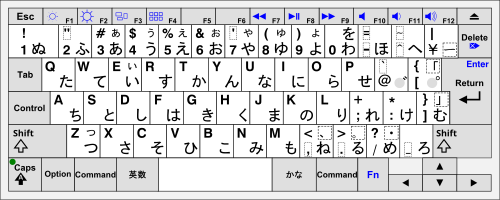
Japanese Apple keyboard layout with Hiragana keys
English (US) keyboard with Japanese key labels
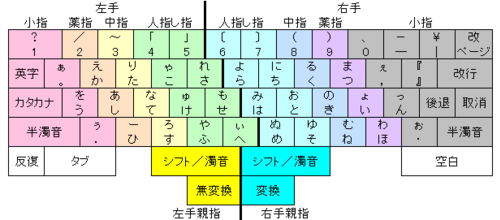
The "Thumb-shift" layout. There are multiple legends and the two modifying keys. "シフト" means L/R Thumb Shift, "後退" means ← Backspace, "取消" means Delete, and "空白" means Space keys.
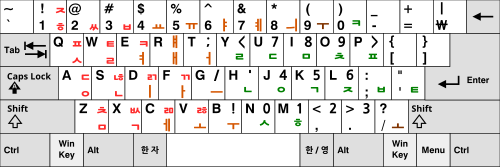
Sebeolsik 390 keyboard layout
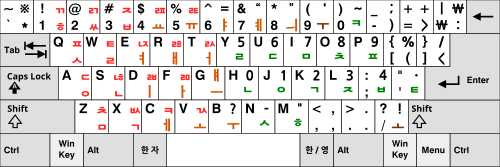
Sebeolsik Final keyboard layout
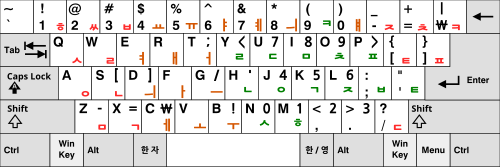
Sebeolsik Noshift keyboard layout

What is the difference between a physical and a functional layout?

A physical layout refers to where the keys are located on the device, while a functional layout refers to what the computer actually does when those keys are pressed, which is determined by software.

Why are there different layouts like AZERTY and QWERTZ?

Different layouts are designed to accommodate the specific linguistic needs, character sets, and punctuation requirements of different languages and regions.

What are modifier keys?

Modifier keys, such as Shift, Ctrl, or Alt, are used in combination with other keys to perform different actions or access different characters.
What is an ergonomic keyboard layout?

An ergonomic layout, such as Dvorak or Colemak, is designed to minimize finger movement and physical strain during typing to improve efficiency and comfort.

What does the Escape (ESC) key do?

The Escape key is typically used to cancel an operation, exit a menu, or quit a program, a function that has been standard since early computing devices like the Teletype Model 33.