Google Search: Evolution, Features, and Advanced Techniques
Since its first prototype in 1995 and its official launch in 1997, Google Search has transformed from a simple web search engine into a global information powerhouse. Serving users in 149 languages worldwide, it has become the primary gateway to the internet for billions, utilizing complex architectures and sophisticated algorithms to index the web.
The engine's technical foundation is built using languages such as Python, C, and C++. Over the decades, Google has implemented massive architectural upgrades, such as "Caffeine," to improve indexing speed, and various algorithm updates like "Hummingbird" and "Medic" to refine the quality and relevance of search results.
Key Facts
- First Prototype: 1995
- Final Launch: 1997
- Languages Supported: 149
- Core Technologies: Python, C, C++
- Primary Revenue Source: Google Ads
- Global Availability: Worldwide (except China and North Korea)
Core Search Capabilities and Interface
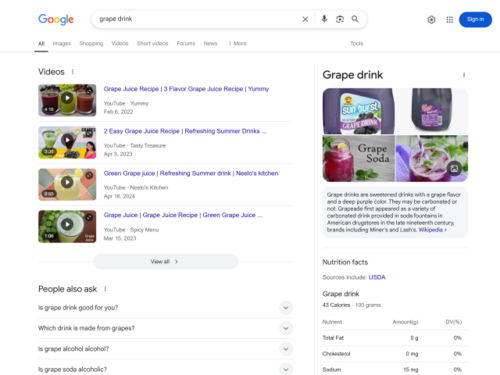
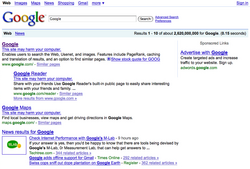
Google Search is more than a text box; it is a multifaceted tool that integrates various types of information. Through features like the Knowledge Graph and Knowledge Panels, the engine provides direct answers to queries. It also utilizes Rich Snippets—enhanced descriptions in search results—to offer users immediate context.
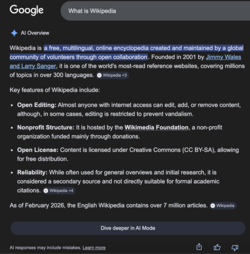
The interface has undergone numerous redesigns to accommodate different devices, including dedicated smartphone apps and specialized layouts. Modern iterations now include AI Overviews and AI Mode, which leverage artificial intelligence to synthesize complex information into digestible responses.

Search Architecture and Algorithms
The quality of search results is maintained through continuous algorithmic refinement. Major updates such as Panda and Penguin have historically shaped how content is ranked. More recently, the integration of AI responses has shifted the search experience from a list of links to a conversational and generative interaction.
Mastering Advanced Search Syntax
To get the most out of Google, users can employ specific search operators to narrow down or expand their queries. Using these symbols allows for precision that standard typing cannot achieve.
- OR or |: Search for pages containing one of two queries (e.g.,
marathon OR race). - AND: Search for pages containing both queries (e.g.,
marathon AND runner). - - (Minus sign): Exclude specific words (e.g.,
apple -tree). - "" (Quotes): Force an exact phrase match (e.g.,
"tallest building"). - * (Asterisk): A placeholder for unknown words (e.g.,
largest * in the world). - .. (Two dots): Search within a numeric range (e.g.,
camera $50..$100). - site: Limit results to a specific domain (e.g.,
site:youtube.com). - -site: Exclude a specific domain (e.g.,
-site:youtube.com). - define: Find definitions (e.g.,
define:phrase). - stocks: View investment prices (e.g.,
stocks:googl). - related: Find similar websites (e.g.,
related:www.wikipedia.org). - ( ): Group operators to control search logic.
- filetype: or ext: Search for specific file formats (e.g.,
filetype:gif). - before: / after: Filter results by date (e.g.,
iphone after:2007-06-29). - @: Search within a specific social media platform.
Interactive Features and Tools
Beyond standard web searching, Google integrates several interactive tools directly into the search interface. These include calculators, unit and currency converters, weather forecasts, and flight status updates. The engine also supports conversational search via "OK Google" and provides specialized results for local film showings and package tracking.
| Category | Details |
|---|---|
| Type of Site | Web search engine |
| Owner | |
| URL | google.com |
| IPv6 Support | Yes |
| Video Search Launch | August 20, 2012 |
Frequently Asked Questions
How can I exclude a specific website from my search results?
You can use the -site: operator followed by the domain you wish to exclude. For example, typing cooking -site:pinterest.com will show cooking results while omitting any from Pinterest.
What is the difference between Google Search and Google Videos?
Google Search is a general web search engine, whereas Google Videos is a specialized video search engine launched in 2012 to help users find video content specifically.
Can Google help me find specific file types?
Yes, by using the filetype: or ext: operator, you can instruct Google to only return results in a specific format, such as filetype:pdf.
What are AI Overviews in Google Search?
AI Overviews are a modern feature where Google uses artificial intelligence to generate summarized responses to user queries, providing a direct answer at the top of the search results page.
How do I search for a specific date range?
You can use the before: and after: operators. For instance, spacex before:2020-08-11 will only show results published before that specific date.